Sortables
Dragging is SortableJS
Version 1.15.7 of SortableJS (MIT licence), loaded only by a page that has a sortable list.
Size
Material
Price
<div class="item-group sortable max-w-md" id="demo-sortable">
  <article class="item" data-variant="outline" data-id="color">
    <figure><button type="button" class="sortable-handle" aria-label="Reorder Color"><i class="icon icon-grip-horizontal" aria-hidden="true"></i></button></figure>
    <section><h3>Color</h3></section>
  </article>
  <article class="item" data-variant="outline" data-id="size">
    <figure><button type="button" class="sortable-handle" aria-label="Reorder Size"><i class="icon icon-grip-horizontal" aria-hidden="true"></i></button></figure>
    <section><h3>Size</h3></section>
  </article>
  <article class="item" data-variant="outline" data-id="material">
    <figure><button type="button" class="sortable-handle" aria-label="Reorder Material"><i class="icon icon-grip-horizontal" aria-hidden="true"></i></button></figure>
    <section><h3>Material</h3></section>
  </article>
  <article class="item" data-variant="outline" data-id="price">
    <figure><button type="button" class="sortable-handle" aria-label="Reorder Price"><i class="icon icon-grip-horizontal" aria-hidden="true"></i></button></figure>
    <section><h3>Price</h3></section>
  </article>
</div>
A page loads SortableJS itself, before the Tsugi script
The library is not in the bundle. A page with a sortable list loads dist/js/sortablejs.min.js before the Tsugi script.
<script src="js/sortablejs.min.js" defer></script>
<script src="tsugi.min.js" defer></script>
The rows are the children of the element with the class
Put sortable on a list, a tbody or an item group. A handle is a button, so the arrow keys move its row.
A list with no handle is dragged by its rows
-
Home
-
Shop
-
Support
<ul class="sortable flex max-w-md flex-col gap-2">
  <li class="item cursor-grab" data-variant="outline" data-id="home"><section><h3>Home</h3></section></li>
  <li class="item cursor-grab" data-variant="outline" data-id="shop"><section><h3>Shop</h3></section></li>
  <li class="item cursor-grab" data-variant="outline" data-id="support"><section><h3>Support</h3></section></li>
</ul>
On a tbody, the rows of a table are reordered
| Reorder | Label | Source |
|---|---|---|
| Color | Product Attribute | |
| Availability | Standard | |
| Price | Standard |
<div class="card" data-variant="table">
  <div class="table-container">
    <table class="table">
      <thead>
        <tr>
          <th class="w-px"><span class="sr-only">Reorder</span></th>
          <th>Label</th>
          <th>Source</th>
        </tr>
      </thead>
      <tbody class="sortable" id="demo-sortable-table">
        <tr data-id="color">
          <td class="w-px"><button type="button" class="sortable-handle" aria-label="Reorder Color"><i class="icon icon-grip-horizontal" aria-hidden="true"></i></button></td>
          <td class="font-medium">Color</td>
          <td>Product Attribute</td>
        </tr>
        <tr data-id="availability">
          <td class="w-px"><button type="button" class="sortable-handle" aria-label="Reorder Availability"><i class="icon icon-grip-horizontal" aria-hidden="true"></i></button></td>
          <td class="font-medium">Availability</td>
          <td>Standard</td>
        </tr>
        <tr data-id="price">
          <td class="w-px"><button type="button" class="sortable-handle" aria-label="Reorder Price"><i class="icon icon-grip-horizontal" aria-hidden="true"></i></button></td>
          <td class="font-medium">Price</td>
          <td>Standard</td>
        </tr>
      </tbody>
    </table>
  </div>
</div>
data-sortable-ignore on a control keeps a press on it from starting a drag
-
Visa
-
PayPal
-
Klarna
<ul class="sortable flex max-w-md flex-col gap-2">
  <li class="item cursor-grab" data-variant="outline" data-id="visa">
    <section><h3>Visa</h3></section>
    <aside><button type="button" class="btn" data-variant="outline" data-size="sm" data-sortable-ignore>Edit</button></aside>
  </li>
  <li class="item cursor-grab" data-variant="outline" data-id="paypal">
    <section><h3>PayPal</h3></section>
    <aside><button type="button" class="btn" data-variant="outline" data-size="sm" data-sortable-ignore>Edit</button></aside>
  </li>
  <li class="item cursor-grab" data-variant="outline" data-id="klarna">
    <section><h3>Klarna</h3></section>
    <aside><button type="button" class="btn" data-variant="outline" data-size="sm" data-sortable-ignore>Edit</button></aside>
  </li>
</ul>
data-disabled keeps the rows where they are
Standard
Express
<div class="item-group sortable max-w-md" data-disabled>
  <article class="item" data-variant="outline" data-id="standard">
    <figure><button type="button" class="sortable-handle" aria-label="Reorder Standard"><i class="icon icon-grip-horizontal" aria-hidden="true"></i></button></figure>
    <section><h3>Standard</h3></section>
  </article>
  <article class="item" data-variant="outline" data-id="express">
    <figure><button type="button" class="sortable-handle" aria-label="Reorder Express"><i class="icon icon-grip-horizontal" aria-hidden="true"></i></button></figure>
    <section><h3>Express</h3></section>
  </article>
</div>
data-variant="overlay" lays the handle over a picture: it shows under the pointer
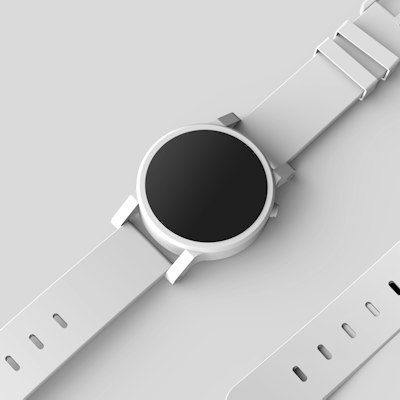
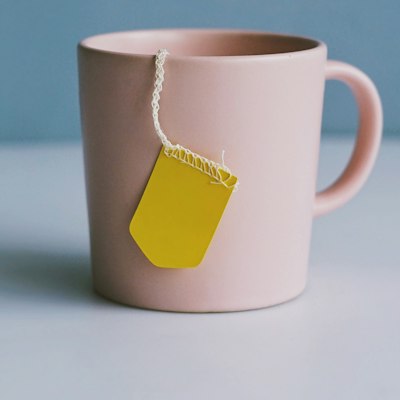
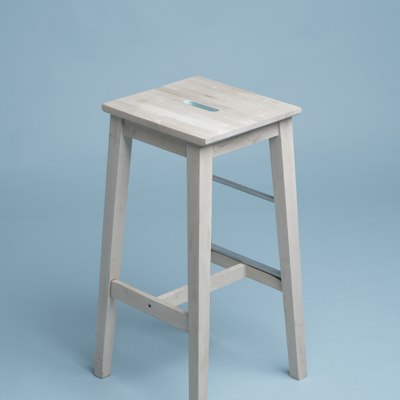

<ul class="sortable grid max-w-md grid-cols-4 gap-3">
  <li class="relative" data-id="watch">
    <img src="/demo-assets/products/watch.jpg" alt="" class="aspect-square w-full rounded-lg border object-cover" />
    <button type="button" class="sortable-handle" data-variant="overlay" aria-label="Reorder watch"><i class="icon icon-move" aria-hidden="true"></i></button>
  </li>
  <li class="relative" data-id="mug">
    <img src="/demo-assets/products/mug.jpg" alt="" class="aspect-square w-full rounded-lg border object-cover" />
    <button type="button" class="sortable-handle" data-variant="overlay" aria-label="Reorder mug"><i class="icon icon-move" aria-hidden="true"></i></button>
  </li>
  <li class="relative" data-id="stool">
    <img src="/demo-assets/products/stool.jpg" alt="" class="aspect-square w-full rounded-lg border object-cover" />
    <button type="button" class="sortable-handle" data-variant="overlay" aria-label="Reorder stool"><i class="icon icon-move" aria-hidden="true"></i></button>
  </li>
  <li class="relative" data-id="headphones">
    <img src="/demo-assets/products/headphones.jpg" alt="" class="aspect-square w-full rounded-lg border object-cover" />
    <button type="button" class="sortable-handle" data-variant="overlay" aria-label="Reorder headphones"><i class="icon icon-move" aria-hidden="true"></i></button>
  </li>
</ul>
data-options takes any SortableJS option as JSON: here a 600ms animation
Monday
Tuesday
Wednesday
<div class="item-group sortable max-w-md" data-options='{"animation":600}'>
  <article class="item" data-variant="outline" data-id="monday">
    <figure><button type="button" class="sortable-handle" aria-label="Reorder Monday"><i class="icon icon-grip-horizontal" aria-hidden="true"></i></button></figure>
    <section><h3>Monday</h3></section>
  </article>
  <article class="item" data-variant="outline" data-id="tuesday">
    <figure><button type="button" class="sortable-handle" aria-label="Reorder Tuesday"><i class="icon icon-grip-horizontal" aria-hidden="true"></i></button></figure>
    <section><h3>Tuesday</h3></section>
  </article>
  <article class="item" data-variant="outline" data-id="wednesday">
    <figure><button type="button" class="sortable-handle" aria-label="Reorder Wednesday"><i class="icon icon-grip-horizontal" aria-hidden="true"></i></button></figure>
    <section><h3>Wednesday</h3></section>
  </article>
</div>
The reorder event gives the row and its old and new place, and toArray() the new order
Phone
Address
Move a row.
<div class="flex max-w-md flex-col gap-3">
  <div class="item-group sortable" id="demo-sortable-event">
    <article class="item" data-variant="outline" data-id="email">
      <figure><button type="button" class="sortable-handle" aria-label="Reorder Email"><i class="icon icon-grip-horizontal" aria-hidden="true"></i></button></figure>
      <section><h3>Email</h3></section>
    </article>
    <article class="item" data-variant="outline" data-id="phone">
      <figure><button type="button" class="sortable-handle" aria-label="Reorder Phone"><i class="icon icon-grip-horizontal" aria-hidden="true"></i></button></figure>
      <section><h3>Phone</h3></section>
    </article>
    <article class="item" data-variant="outline" data-id="address">
      <figure><button type="button" class="sortable-handle" aria-label="Reorder Address"><i class="icon icon-grip-horizontal" aria-hidden="true"></i></button></figure>
      <section><h3>Address</h3></section>
    </article>
  </div>
  <p class="text-muted-foreground text-sm" id="demo-sortable-event-output">Move a row.</p>
</div>
<script>
  document.getElementById("demo-sortable-event").addEventListener("reorder", (event) => {
    const { id, oldIndex, newIndex } = event.detail;
    document.getElementById("demo-sortable-event-output").textContent = `${id} moved from ${oldIndex} to ${newIndex}. Order: ${event.target.toArray().join(", ")}`;
  });
</script>
The page reverses the order with toArray() and sort(), and turns sorting off with disabled
First
Second
Third
<div class="flex max-w-md flex-col gap-3">
  <div class="item-group sortable" id="demo-sortable-methods">
    <article class="item" data-variant="outline" data-id="first">
      <figure><button type="button" class="sortable-handle" aria-label="Reorder First"><i class="icon icon-grip-horizontal" aria-hidden="true"></i></button></figure>
      <section><h3>First</h3></section>
    </article>
    <article class="item" data-variant="outline" data-id="second">
      <figure><button type="button" class="sortable-handle" aria-label="Reorder Second"><i class="icon icon-grip-horizontal" aria-hidden="true"></i></button></figure>
      <section><h3>Second</h3></section>
    </article>
    <article class="item" data-variant="outline" data-id="third">
      <figure><button type="button" class="sortable-handle" aria-label="Reorder Third"><i class="icon icon-grip-horizontal" aria-hidden="true"></i></button></figure>
      <section><h3>Third</h3></section>
    </article>
  </div>
  <div class="flex gap-2">
    <button type="button" class="btn" data-variant="outline" data-size="sm" id="demo-sortable-reverse">Reverse the order</button>
    <button type="button" class="btn" data-variant="outline" data-size="sm" id="demo-sortable-toggle" aria-pressed="false">Turn sorting off</button>
  </div>
</div>
<script>
  document.addEventListener("DOMContentLoaded", () => {
    const list = document.getElementById("demo-sortable-methods");
    document.getElementById("demo-sortable-reverse").addEventListener("click", () => {
      list.sort(list.toArray().reverse());
    });
    document.getElementById("demo-sortable-toggle").addEventListener("click", (event) => {
      list.disabled = !list.disabled;
      event.target.setAttribute("aria-pressed", list.disabled);
      event.target.textContent = list.disabled ? "Turn sorting on" : "Turn sorting off";
    });
  });
</script>
A list started by mount() takes callbacks: onMove keeps the pinned row first, onEnd reports the drop
Pinned, always first
Orders
Customers
Products
Drag a row.
<div class="flex max-w-md flex-col gap-3">
  <div class="item-group" id="demo-sortable-mount">
    <article class="item" data-variant="outline" data-id="pinned">
      <figure><i class="icon icon-pin text-muted-foreground size-4" aria-hidden="true"></i></figure>
      <section><h3>Pinned, always first</h3></section>
    </article>
    <article class="item" data-variant="outline" data-id="orders" data-movable>
      <figure><button type="button" class="sortable-handle" aria-label="Reorder Orders"><i class="icon icon-grip-horizontal" aria-hidden="true"></i></button></figure>
      <section><h3>Orders</h3></section>
    </article>
    <article class="item" data-variant="outline" data-id="customers" data-movable>
      <figure><button type="button" class="sortable-handle" aria-label="Reorder Customers"><i class="icon icon-grip-horizontal" aria-hidden="true"></i></button></figure>
      <section><h3>Customers</h3></section>
    </article>
    <article class="item" data-variant="outline" data-id="products" data-movable>
      <figure><button type="button" class="sortable-handle" aria-label="Reorder Products"><i class="icon icon-grip-horizontal" aria-hidden="true"></i></button></figure>
      <section><h3>Products</h3></section>
    </article>
  </div>
  <p class="text-muted-foreground text-sm" id="demo-sortable-mount-output">Drag a row.</p>
</div>
<script>
  document.addEventListener("DOMContentLoaded", () => {
    const list = document.getElementById("demo-sortable-mount");
    const output = document.getElementById("demo-sortable-mount-output");
    window.tsugi.mount("sortable", list, {
      // Only the marked rows move.
      draggable: "[data-movable]",
      // Called while a row is over another one. Returning false refuses that place.
      onMove: (event) => event.related.hasAttribute("data-movable"),
      // Called when the row is let go, moved or not.
      onEnd: (event) => {
        output.textContent = `onEnd: ${event.item.dataset.id} went from ${event.oldDraggableIndex} to ${event.newDraggableIndex}`;
      },
    });
  });
</script>
sortable is the SortableJS instance: here the page changes one of its options
Draft
Review
Published
<div class="flex max-w-md flex-col gap-3">
  <div class="item-group sortable" id="demo-sortable-instance">
    <article class="item" data-variant="outline" data-id="draft">
      <figure><button type="button" class="sortable-handle" aria-label="Reorder Draft"><i class="icon icon-grip-horizontal" aria-hidden="true"></i></button></figure>
      <section><h3>Draft</h3></section>
    </article>
    <article class="item" data-variant="outline" data-id="review">
      <figure><button type="button" class="sortable-handle" aria-label="Reorder Review"><i class="icon icon-grip-horizontal" aria-hidden="true"></i></button></figure>
      <section><h3>Review</h3></section>
    </article>
    <article class="item" data-variant="outline" data-id="published">
      <figure><button type="button" class="sortable-handle" aria-label="Reorder Published"><i class="icon icon-grip-horizontal" aria-hidden="true"></i></button></figure>
      <section><h3>Published</h3></section>
    </article>
  </div>
  <button type="button" class="btn self-start" data-variant="outline" data-size="sm" id="demo-sortable-instance-button">Set the animation to 600ms</button>
</div>
<script>
  document.getElementById("demo-sortable-instance-button").addEventListener("click", (event) => {
    const list = document.getElementById("demo-sortable-instance");
    list.sortable.option("animation", 600);
    event.target.textContent = `Animation is ${list.sortable.option("animation")}ms`;
  });
</script>
A page saves the order itself
The component sends nothing to a server. A page posts the order from its reorder listener.
list.addEventListener("reorder", (event) => {
  fetch("/filters/order/", {
    method: "POST",
    headers: { "Content-Type": "application/json" },
    body: JSON.stringify({ order: event.target.toArray() }),
  });
});
API Reference
Attributes
| Attribute | On | Values | Default | Description |
|---|---|---|---|---|
| data-id | a row | text | none | Names the row. toArray() returns it and the reorder event carries it. |
| aria-label | a .sortable-handle | text | none | Names the handle for a screen reader. A move made with the keys is spoken with it. |
| data-sortable-ignore | a control inside a row | present or absent | absent | A press on the control never starts a drag. Its own click still happens. |
| data-disabled | .sortable | present or absent | absent | Keeps the rows where they are, by pointer and by key, and dims the handles. |
| data-options | .sortable | JSON | none | Any SortableJS option. It is laid over the component's own: animation 150, forceFallback true. |
Methods and properties
| Member | Type | Description |
|---|---|---|
| toArray() | method | Returns every row's data-id, in the current order. |
| sort(order) | method | Puts the rows in the order of a list of data-id values. It sends no reorder event. |
| disabled | property | Reads and sets data-disabled. |
| sortable | property, read only | The SortableJS instance, for anything the component does not cover. |
Events
| Event | On | Detail | Description |
|---|---|---|---|
| reorder | .sortable, and it bubbles | { item, id, oldIndex, newIndex } | Sent after a row is moved, by pointer or by key. item is the row, id its data-id, and the indexes count rows from 0. |
Keyboard
| Key | Description |
|---|---|
| Arrow Up | On a handle, moves its row up one place. |
| Arrow Down | On a handle, moves its row down one place. |
| Tab | Moves to the next handle. A handle is a button, so this is the browser's own. |
A list with no .sortable-handle is dragged by its rows, and has no keys.
A move made with the keys is spoken through a live region: the handle's aria-label, then the new position.
window.tsugi.mount('sortable', element, options) starts a list by a call. Its options are laid over data-options, and can hold functions.
SortableJS sends its own events on the same element: start, end, update and the rest. The component adds only reorder.
Once the script has started it, the element carries data-sortable-initialized="true" and sends tsugi:initialized. The methods and properties above are on the element itself.